We are excited to introduce MCP Social Nodes to AI Workflows. This update allows you to bridge the gap between AI-generated content and actual execution on social media platforms.
By supporting the Model Context Protocol (MCP), TeamPal enables your workflows to interact directly with platforms such as Facebook, YouTube, LinkedIn, X (formerly Twitter), and Instagram. You can also connect to other tools, such as Slack or Discord, if your MCP provider supports them.
What Can You Do with MCP Nodes?
The capabilities of these nodes depend on the specific tools provided by your MCP provider (such as Zapier or Composio). Common actions include:
- Publishing Content: Post text updates, images, or status changes on social platforms.
- Media Management: Upload videos directly to YouTube or Instagram.
- Information Gathering: Search for posts or monitor specific topics.
Instead of manually copying and pasting content from your AI agent to your social media accounts, you can now build an end-to-end automated pipeline.
How to Set Up an MCP Social Node
Integrating a new platform is a straightforward 3-step process:
- Choose Your Platform: Select the social platform node you want to use (e.g., YouTube) from the "Add Nodes" menu.
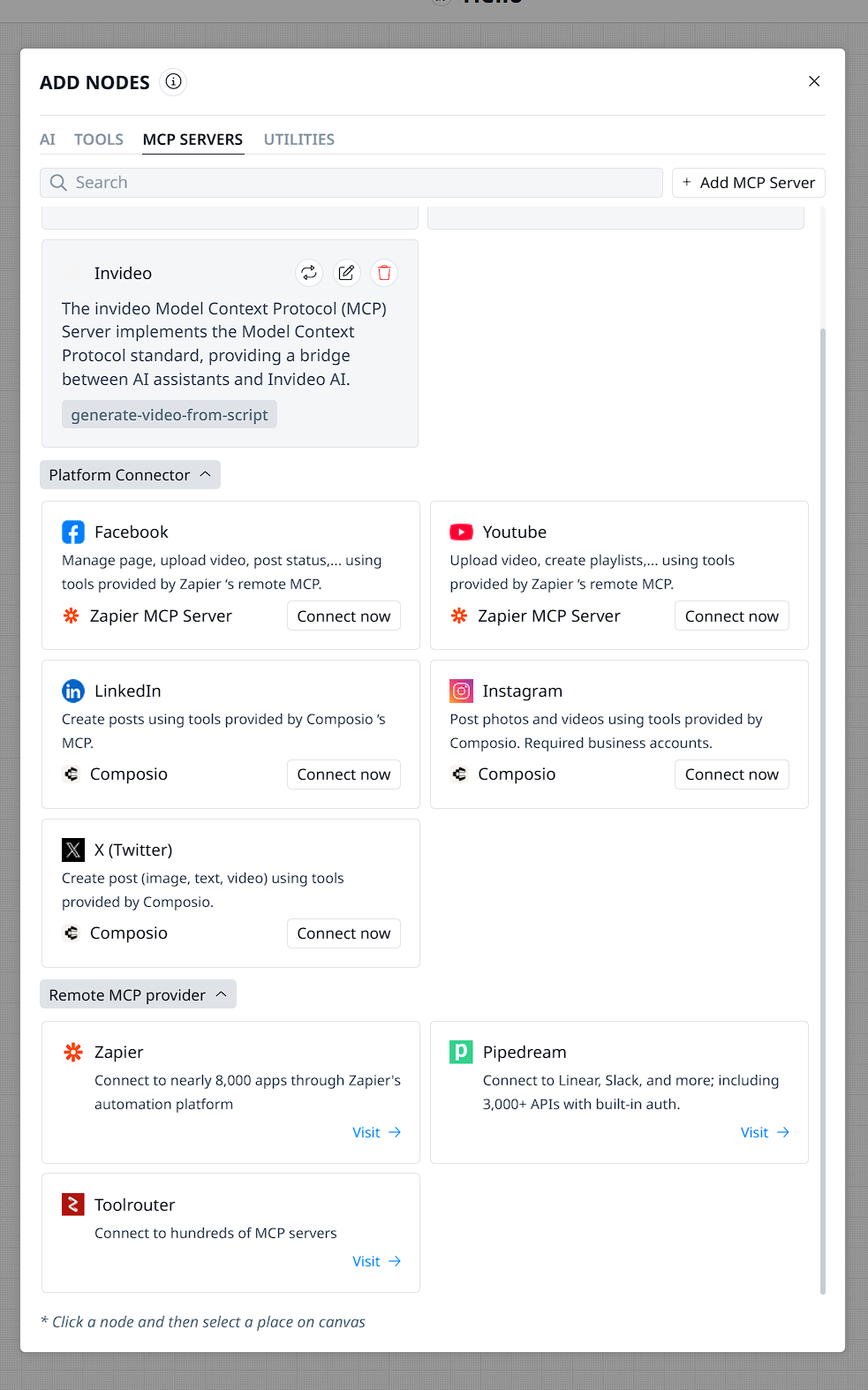
- Connect to an MCP Provider: Visit your preferred provider (e.g.,mcp.zapier.com). Create an MCP server, integrate the tools you need, and complete a one-time sign-in to authenticate your social media account.
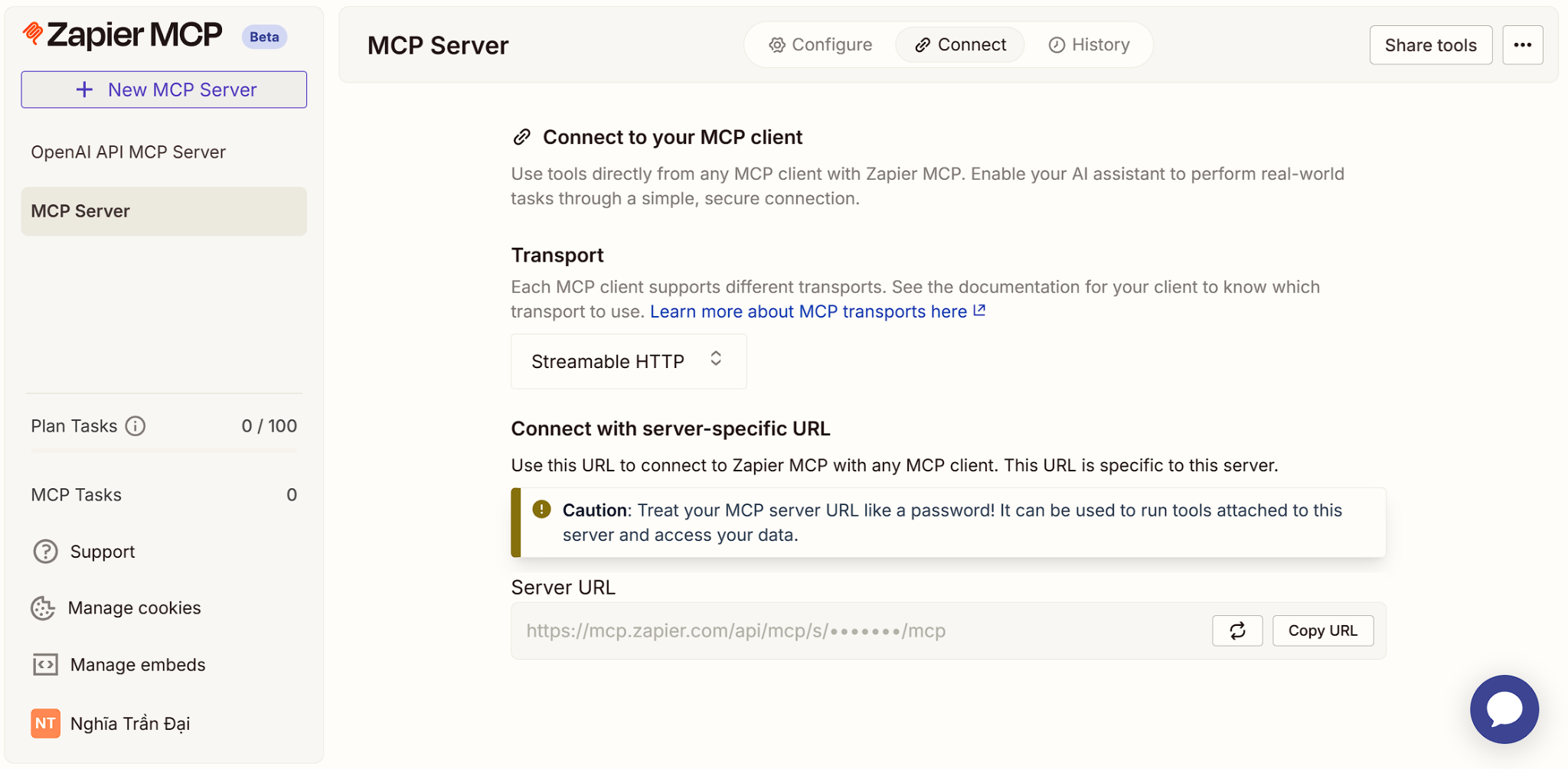
- Link to TeamPal: Copy the Server URL from your provider and paste it into the setup form in TeamPal.
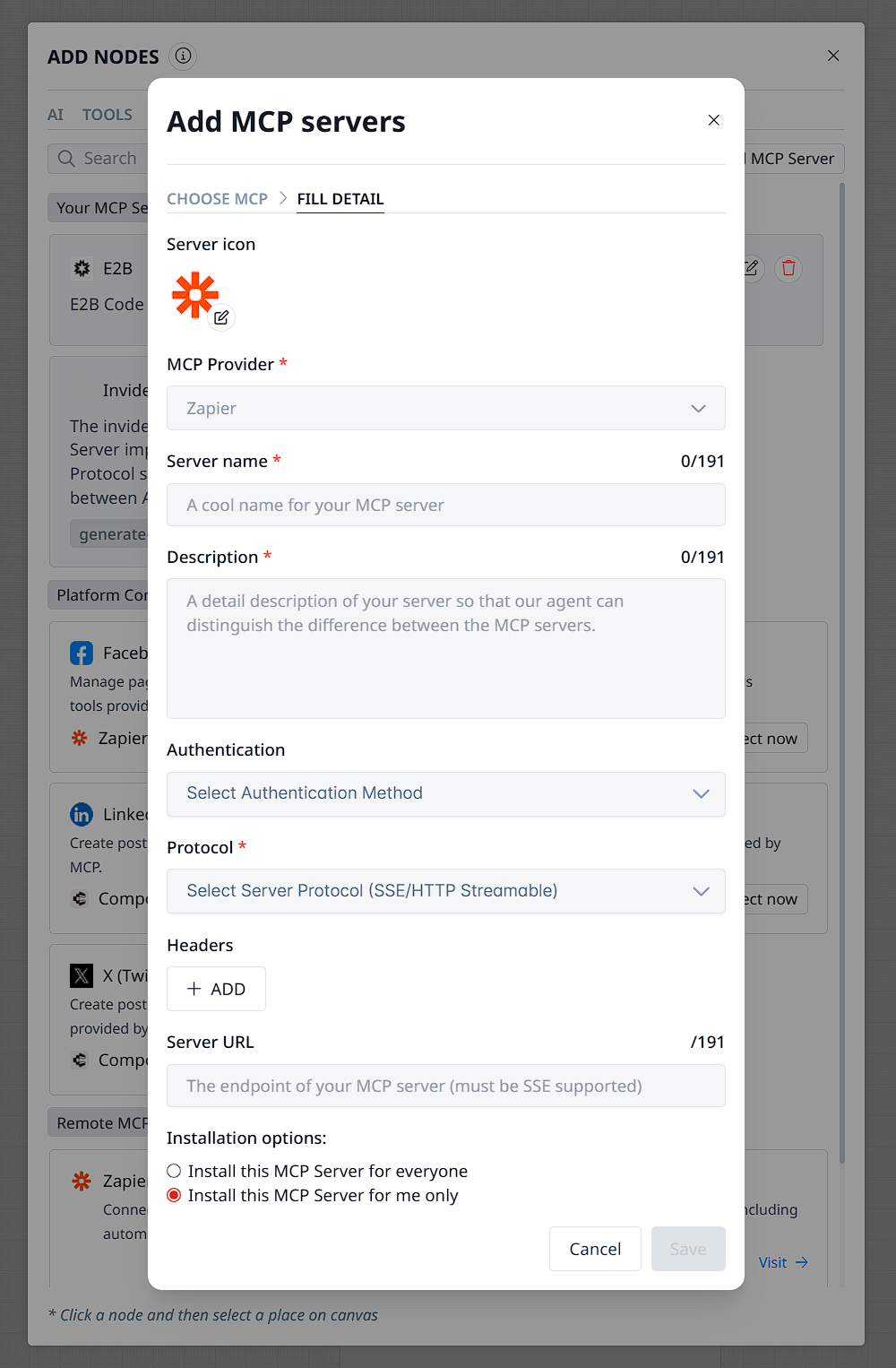
Once configured, the node is ready to be used as a permanent part of your automation library.
Practical Use Cases for Your Marketing Workflow
Here are a few ways you can start using MCP Social nodes today:
- Scenario 1: Instant Industry Insights AI reads a long-form industry article → Summarizes the key takeaways → Automatically posts the summary to LinkedIn to keep your professional network engaged.
- Scenario 2: Multi-Channel Campaigning Workflow generates an AI image → Writes tailored captions for different audiences → Simultaneously posts to Facebook and X (Twitter).
- Scenario 3: Video Content Repurposing (Suggested) Workflow takes a new YouTube video link → AI extracts the transcript → Generates a "teaser" post and a thread → Schedules the thread to be posted on X and LinkedIn to drive traffic back to the video.
Why Use MCP Nodes?
The goal of this update is to make your Marketing processes more autonomous. By closing the loop between content creation and publishing, you save time and ensure your social presence stays active with AI assistance.
You are no longer just drafting ideas; you are building a system that executes them.
Was this article helpful?
That’s Great!
Thank you for your feedback
Sorry! We couldn't be helpful
Thank you for your feedback
Feedback sent
We appreciate your effort and will try to fix the article