We are proud to unveil the next step in our creative evolution: Mini-Apps V4. While V3 gave your ideas a visual form, V4 gives them a voice. This update introduces powerful Audio and Dialogue Generation capabilities, allowing you to create studio-quality narration and complex conversations in just a few clicks.
What’s New in V4?
1. Industry-Leading AI Models
We have integrated the world’s most advanced audio engines to provide unmatched variety and quality:
- ElevenLabs Turbo 2.5 & Flash 2.5: High-quality, low-latency text-to-speech supporting 32 languages.
- OpenAI TTS & TTS HD: Premium models with 11 built-in voices for a natural, human-like feel.
- GPT-4o mini TTS: Efficient and high-performance speech generation for rapid content creation.
2. Speech Generation
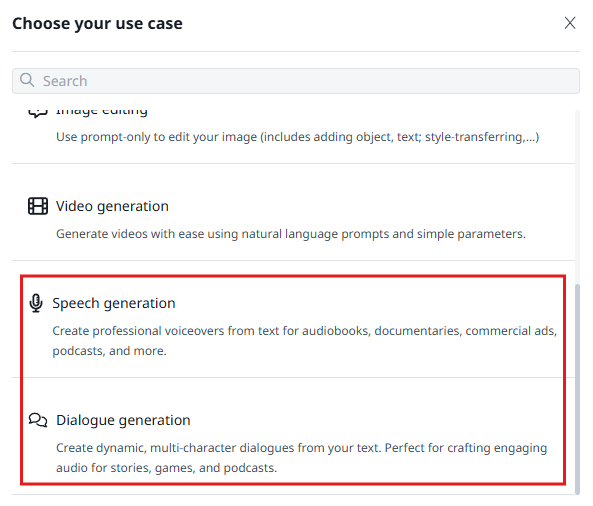
Transform any text into professional voiceovers. This is perfect for:
- Audiobooks & Documentaries: Create long-form narration with consistent tone.
- Commercial Ads & Social Media: Generate engaging voiceovers for TikTok, Reels, or Facebook ads.
- E-learning: Quickly turn training manuals into accessible audio lessons.
3. Dialogue Generation
Go beyond single-voice narration. Our multi-character engine allows you to:
- Host AI Conversations: Assign different voices (like Sonia, Alex, or Zephyr) to specific parts of your script.
- Control the Flow: Use natural-language instructions to guide the AI in interpreting the scene.
- Dynamic Interaction: Perfect for storytelling, game character prototyping, and interactive podcasts.
Why Use Mini-Apps V4?
- No Studio Required: Forget expensive microphones and soundproof rooms. Generate high-fidelity audio (up to HD quality) directly from your browser.
- Rapid Prototyping: Visualize your audio concepts instantly. It is the ideal tool for creators who need to hear their ideas before moving into full production.
- Granular Control: Adjust speech speed and use Advanced Settings to fine-tune the output for your specific needs.
- Global Reach: With support for dozens of languages, you can localize your content for a worldwide audience in seconds.
How to Get Started
- Choose Your Use Case: Select between "Speech Generation" or "Dialogue Generation."
- Pick Your Voices: Select from a diverse library of AI voices to match your brand's personality.
- Enter Your Script: Paste your text or provide a prompt for the AI to follow.
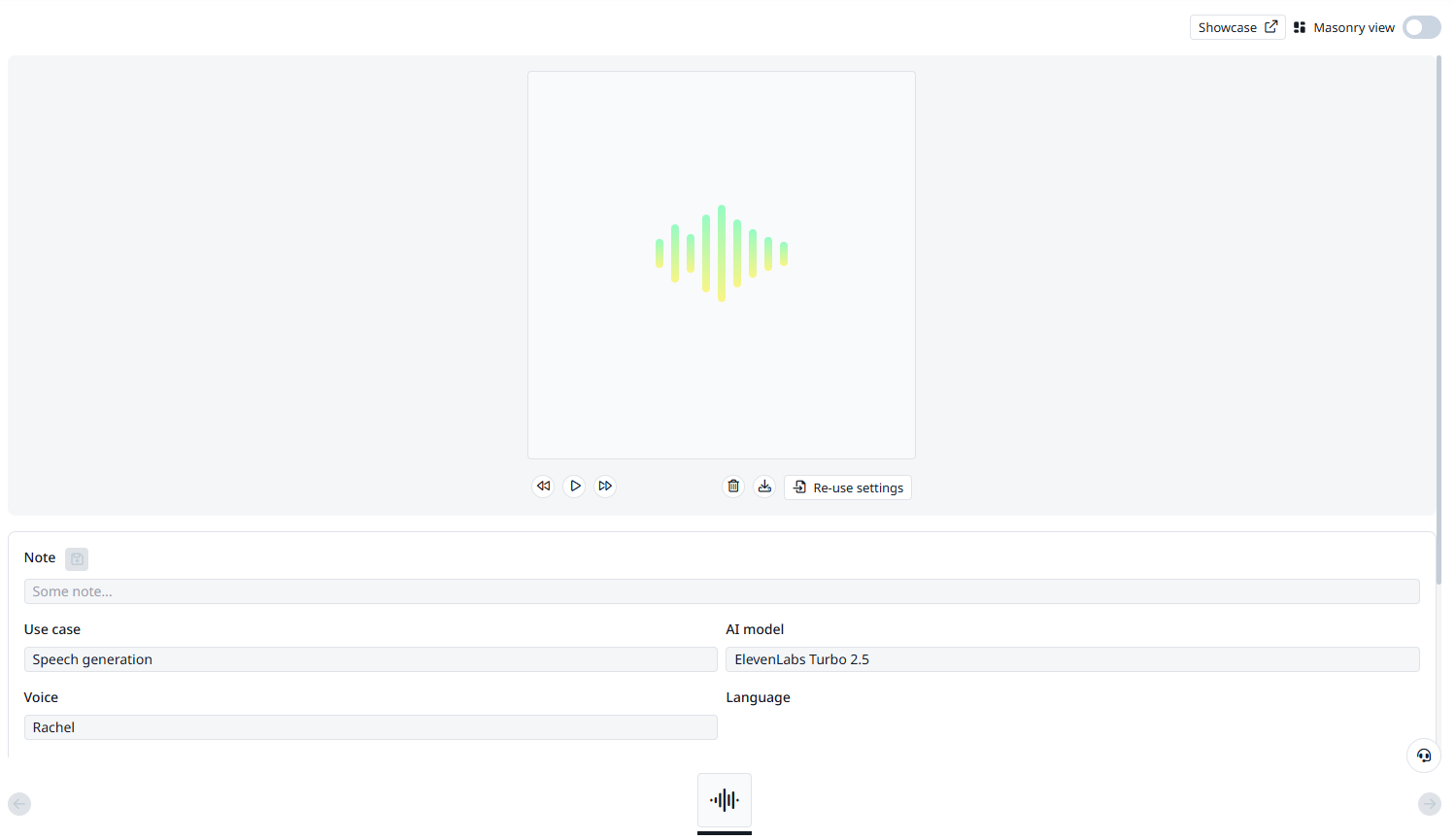
- Generate: Click to create and download your high-quality audio file.
Ready to give your projects a voice?
Try Mini-Apps V4 Now!
Was this article helpful?
That’s Great!
Thank you for your feedback
Sorry! We couldn't be helpful
Thank you for your feedback
Feedback sent
We appreciate your effort and will try to fix the article